What is react-native-model-viewer-webview?
It is a React Native and Expo package that renders GLB and
glTF previews inside react-native-webview using
Google's <model-viewer> web component.
Documentation
A small React Native and Expo component for rendering GLB and glTF
model previews through react-native-webview and
Google's <model-viewer> web component.
Direct answers
It is a React Native and Expo package that renders GLB and
glTF previews inside react-native-webview using
Google's <model-viewer> web component.
Expo apps should run
npx expo install react-native-model-viewer-webview react-native-webview.
Bare React Native apps should run
npm install react-native-model-viewer-webview react-native-webview.
Use it for simple single-model previews where WebView rendering is acceptable. Use native 3D stacks for shaders, physics, AR, complex scenes, or game-like interaction.
Yes. The package includes AGENTS.md,
llms.txt, and a portable SKILL.md
folder for Claude Code and other skills-compatible agents.
Install
Expo apps should use Expo CLI so SDK-compatible native package
versions can be selected when possible. Bare React Native apps can
install the package pair with npm and follow
react-native-webview native setup.
# Expo
npx expo install react-native-model-viewer-webview react-native-webview

# Bare React Native
npm install react-native-model-viewer-webview react-native-webview
Usage
Pass a remote GLB URL, set a stable height, and enable the
<model-viewer> controls you need.
import { ModelViewerWebView } from "react-native-model-viewer-webview";

export function Preview() {
  return (
    <ModelViewerWebView
      modelSource="https://example.com/car.glb"
      style={{ height: 320 }}
      htmlOptions={{
        autoRotate: true,
        cameraControls: true,
        exposure: 1.05,
        shadowIntensity: 0.35,
      }}
    />
  );
}The component generates a small model-viewer document and hosts it inside a React Native WebView. This docs preview uses the same underlying browser component.
Model sources
Track loaded/error states for product and inspection flows.
<ModelViewerWebView
  modelSource="https://cdn.example.com/models/suv.glb"
  onModelLoaded={(status) => {
    console.log(status.message);
  }}
  onModelError={(status) => {
    console.warn(status.type, status.message);
  }}
/>Add asset extensions to Metro, then pass the static module.
// metro.config.js
const { getDefaultConfig } = require("expo/metro-config");
const config = getDefaultConfig(__dirname);

config.resolver.assetExts = [
  ...config.resolver.assetExts,
  "glb",
  "gltf",
];

module.exports = config;
<ModelViewerWebView
modelSource={require("./assets/car.glb")}
style={{ height: 320 }}
/>Download the asset first so localUri is available.
import { Asset } from "expo-asset";

const model = Asset.fromModule(require("./assets/model.glb"));
await model.downloadAsync();

<ModelViewerWebView modelSource={model} />
On Android Expo Go, direct file: GLB loading was
not reliable in smoke testing. Reading the asset bytes and
passing a GLB data URI did render successfully.
import { Asset } from "expo-asset";
import * as FileSystem from "expo-file-system/legacy";

const model = Asset.fromModule(require("./assets/model.glb"));
await model.downloadAsync();

const localUri = model.localUri ?? model.uri;
const base64 = await FileSystem.readAsStringAsync(localUri, {
  encoding: FileSystem.EncodingType.Base64,
});

<ModelViewerWebView
  modelSource={`data:model/gltf-binary;base64,${base64}`}
  style={{ height: 320 }}
/>
Compatibility
These are manual smoke-test results, not a blanket support matrix.
The Android local asset test used a bundled Khronos
Box.glb, expo-asset, and a GLB data URI.
Box.glb as data URI
Verified
Box.glb as direct file: URI
Not reliable in this smoke test
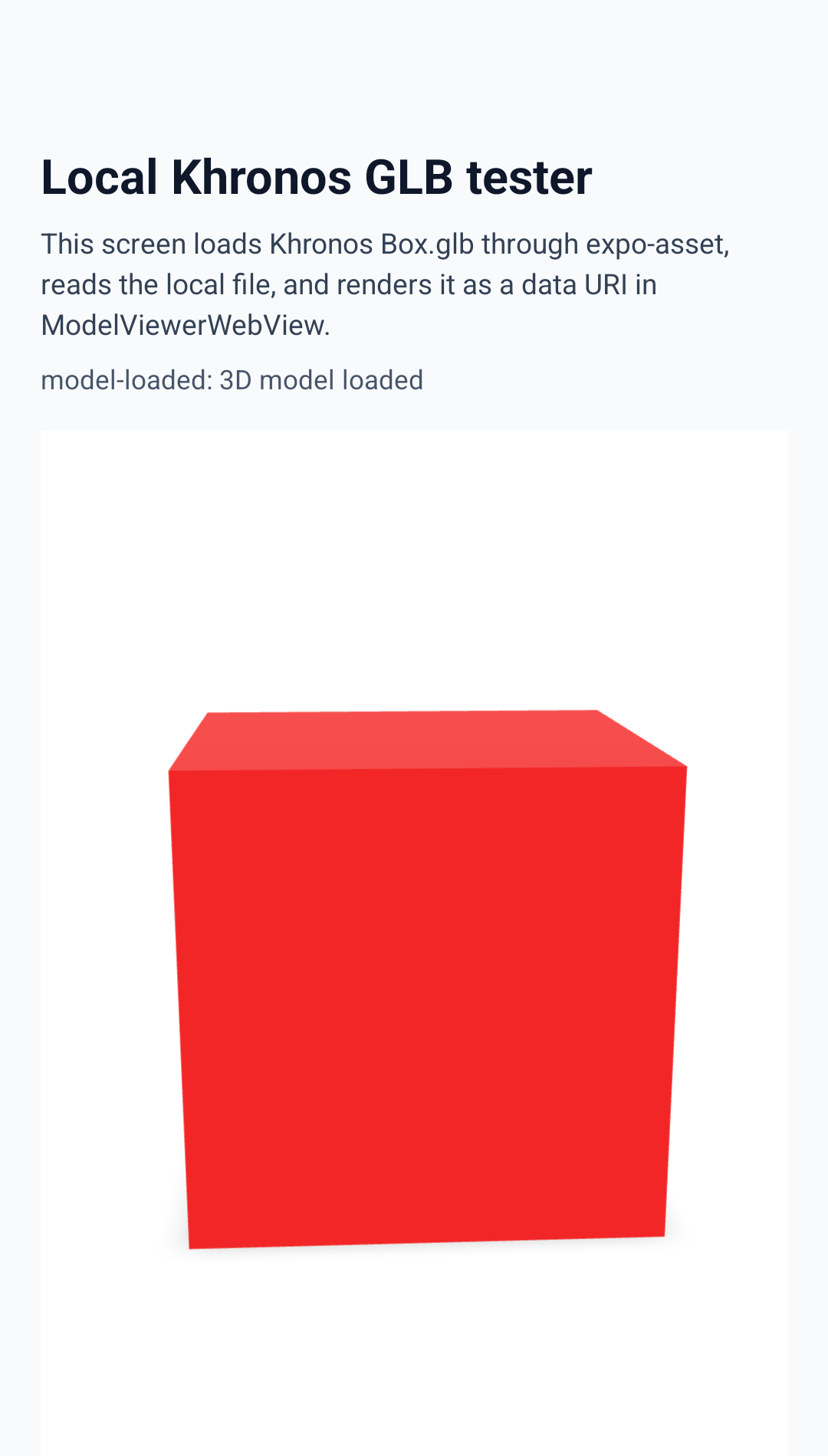
Box.glb
loaded through expo-asset, converted to a GLB data
URI, and rendered by ModelViewerWebView.
Runtime state
Use status callbacks for UI state, analytics, retry UX, and instrumentation around model loading.
<ModelViewerWebView
  modelSource={source}
  onStatus={(status) => track("model_status", status)}
  onModelLoaded={() => setReady(true)}
  onModelError={(status) => setError(status.message)}
/>
Offline
The package now inlines a bundled @google/model-viewer
runtime by default, so local model previews do not need a CDN
request. Override the script only when you want a different runtime.
import { MODEL_VIEWER_CDN_SCRIPT_URL } from "react-native-model-viewer-webview";

<ModelViewerWebView
  modelSource="https://example.com/model.glb"
  htmlOptions={{
    modelViewerScriptUrl: MODEL_VIEWER_CDN_SCRIPT_URL,
  }}
/>
Use-case ideas
Show a 3D reference model before an inspection, highlight the expected angle, or let inspectors confirm a vehicle variant.
Add a lightweight 3D preview to marketplace listing cards without adopting a full scene-rendering stack.
Let shoppers inspect a single object, material shape, or product silhouette before moving to checkout.
Display individual parts or assemblies in technician-facing apps where the rest of the workflow is standard React Native UI.
Embed inspectable models in lessons, quizzes, field training checklists, or guided maintenance flows.
Build Expo prototypes that need a credible 3D moment without spending the demo budget on renderer setup.
AI agent support
The package ships AGENTS.md, llms.txt,
and a portable SKILL.md folder. Claude Code can use it
after copying the skill to a supported skills directory.
mkdir -p ~/.claude/skills
cp -R node_modules/react-native-model-viewer-webview/agent-skills/react-native-model-viewer-webview ~/.claude/skills/
Limitations
This package renders through WebView, so startup cost and memory use are higher than a plain native view.
Rendering follows the platform WebView and the underlying
<model-viewer> implementation.
Use Filament, React Three Fiber Native, Three.js, or Expo GLView for native GPU rendering, shaders, physics, AR, complex scenes, or game-like interaction.
Package fit
Native 3D renderers are the right answer for complex scenes. This package exists for the narrower case where an app needs a dependable single-model preview, simple controls, and a small React Native API without adopting a renderer as application infrastructure.